
ADVIA CREDIT UNION
Services we provide:
- Discovery
- Digital Strategy
- Content Analysis
- Custom Integrations
- UX/UI Design
- Website Development
- Hosting
- Support
About Advia Credit Union
Advia Credit Union has a mission to provide financial advantages to its members by providing advice, advocating for members, and offering advantages other financial institutions don’t. This is accomplished through innovative financial solutions and a new, scalable website. For this new site, Advia sought to proactively provide the quickest and easiest digital solution for members to get the best user experience. Advia is not like other financial institutions; this is illustrated in Advia’s commitment to serving the ever-changing financial needs of its members. One of its core values is to drive progress by engaging in a spirit of innovation and developing new digital service tools for its members. This led to an innovative website redesign to give members easy access to information digitally.
The Challenge
The old website was not intuitive, and the overall digital experience lacked. The lending areas of the old site for both mortgages and auto loans were not producing results. With increased in mobile traffic, the site needed an improved mobile user experience. A major challenge facing Advia’s business team was the organization and content hierarchy of the old site. The content was repetitive and text-heavy, and members were confused about where to find the information they sought. Other obstacles included Advia’s team being unable to easily update the content and structure of the pages on the old website.
Goals for the New Site:
- Improved navigation layout
- Measurable enhancements
- Increase time spent on the website
- Meets brand standards with redesign
- Increase overall visitors engagement
- Increase content management efficiency
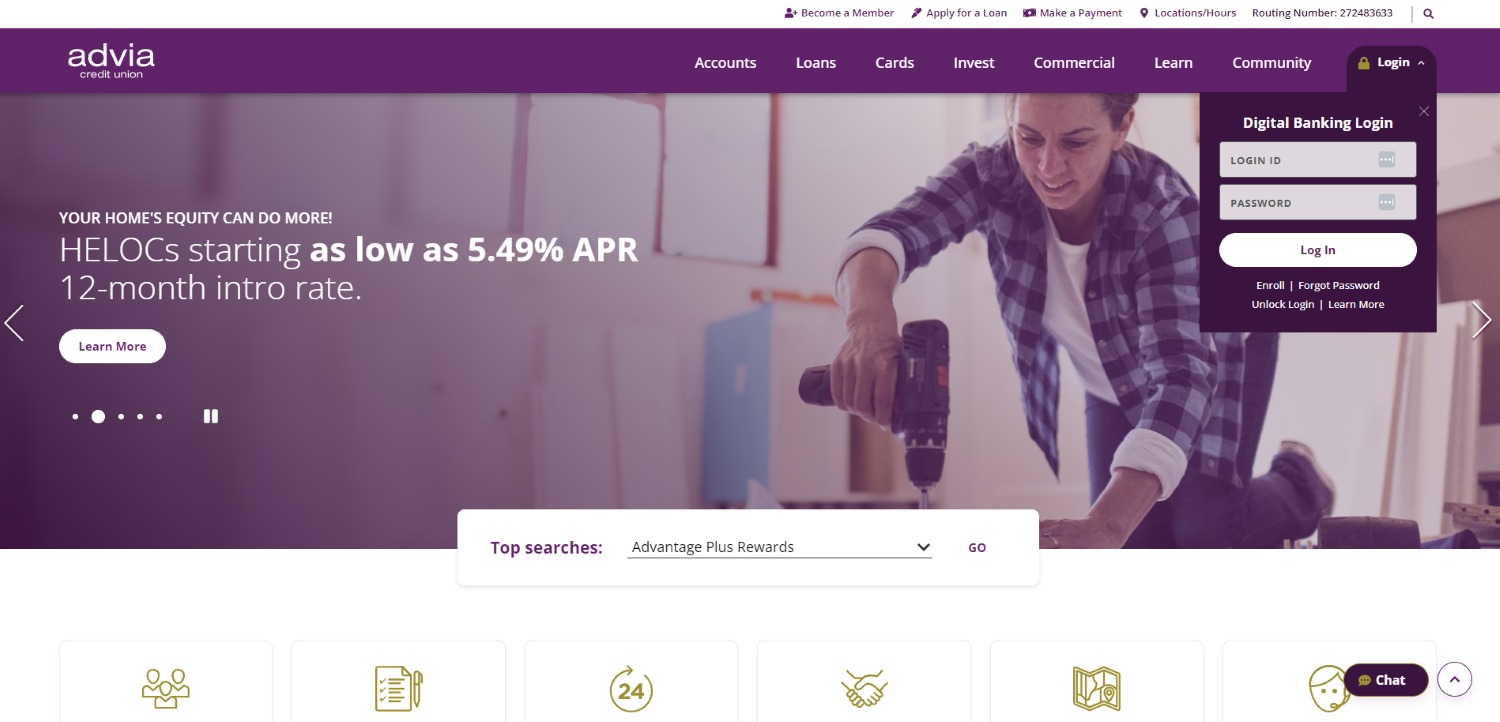
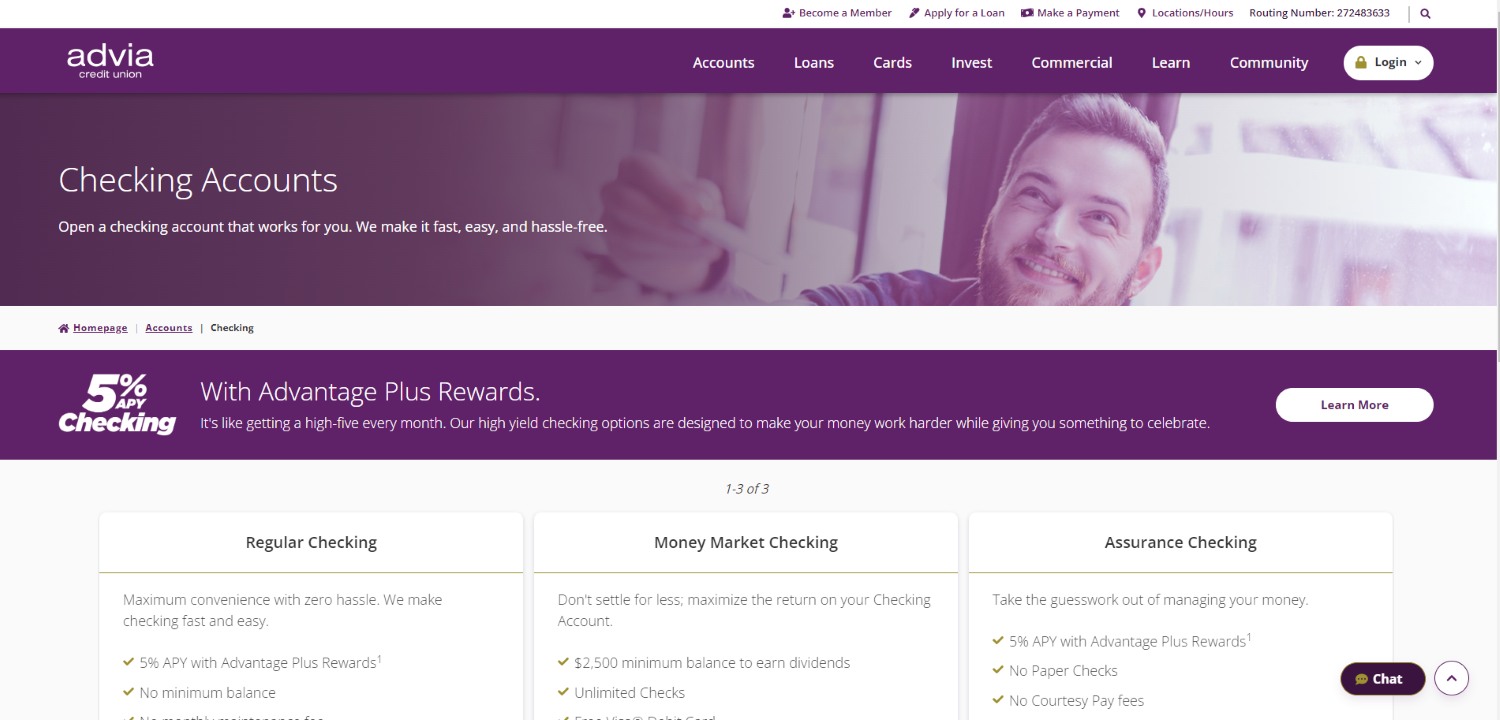
Advia wanted to create a “one-stop” resource center to educate members on digital banking—including forms, links, documents, and video tutorials. Two goals for the new Advia Credit Union website were simplifying content and allowing self-service for members. Advia did not want to reinvent the wheel in terms of UI but wanted to deliver a better digital experience to its members and potential new members. The new website provides a clean and clear navigation experience to eliminate clutter and confusion.
The Right Platform
SilverTech reviewed several CMS/DX platforms with Advia. Progress Sitefinity was the chosen platform, giving Advia a fully optimized digital experience. Using the page templates on the Sitefinity platform allows Advia to accomplish the goals for the new site by enhancing the design and layout of the website with ease. The new website improves the user experience with the use of properly placed navigation buttons and call to actions (CTAs) clearly directing users through the content on the page to the sub-pages. Advia’s site has an engaging navigation and advanced filter functionality allowing users to get to the content they are looking for with ease. Additionally, the Advia content team can seamlessly update and create pages within the Sitefinity CMS, keeping the website current and relevant.

RESULTS
The AWS Outage Checklist (for the Next Time You Need It)
By: Allyson Couture | 10/20/25
For many organizations, the move to the cloud has delivered on much of what it promised: dynamic scalability, zero downtime deployments, and the freedom to offload infrastructure. In many ways, it’s delivered the kind of reliability and efficiency IT teams once only dreamed of.
But what do you do when the cloud doesn’t live up to its silver lining?
This morning, on October 20, 2025, an AWS outage centered in its US-East-1 (Northern Virginia) region took out some of the biggest names on the web. Apps went dark, websites slowed or failed, and the ripple effects were felt across industries. While AWS engineers are actively working toward full recovery, this outage serves as a stark reminder that even the largest cloud provider can falter and “resolved” issues can resurface unexpectedly.
In keeping with our earlier guidance on “What Happens When Your Cloud Provider Goes Down,” this event gives us real-world context for what to expect, how to respond, and how to prepare.
What We Know So Far
Here's a summary of the outage and how it played out:
- Many downstream platforms, such as social-apps, gaming services, fintechs and more, reported disruptions: for example, Snapchat, Fortnite, Ring, and others.
- Tracking sites show the incident began around 3:11 a.m. ET when multiple services flagged issues, including API delays, networking anomalies, and DNS problems.
- According to AWS’s public status updates: “We can confirm increased error rates and latencies for multiple AWS Services in the US-EAST-1 Region.”
- While AWS says the underlying DNS issue has been fully mitigated, they also note that “some customers still continue to experience increased error rates with AWS Services."
What AWS Customers Should Do in Light of Today’s Incident
If your business or website uses AWS, here are the key steps you should take right now (and a few things to prepare for in the future) based on what happened today:
- Verify where your systems are hosted. This outage may have affected US-East-1, but any region could have an issue like this in the future. One of the biggest benefits of the cloud is "multi-regional" deployments where machines in a different region can make up for failing infrastructure.
- If possible, talk to your tech team or provider about adding a backup location in another region.
- Turn on AWS outage alerts. Make sure someone on your team is signed up for AWS’s service health notifications so you know about problems as soon as they happen.
- Plan for partial functionality. During outages, your site might not work perfectly, but you can design it to still do something.
- For example, make sure your app can still show basic content or let users log in, even if some features are temporarily unavailable.
- Where possible, keep a local copy of your data (a “cache”) available for your application to use in case the source goes down.
- Practice “what if” scenarios. Test what would happen if AWS goes down again.
- Can customers still access your website?
- Do you have backups that can be turned on quickly?
- Does your team know who to contact and what to say to customers?
- Keep your communication plan ready. Have a short, pre-written message you can send to customers during outages and make sure everyone on your team knows their role during an outage.
- Know what your business depends on. List out the tools and systems your organization uses that run on AWS, such as your database, payment tools, or login system. This helps you see which parts might break if AWS has issues again.
- Be ready to handle delays and errors. When AWS slows down, requests can pile up. Make sure your app or site can “wait its turn” rather than crash completely by temporarily saving user requests or showing a helpful message.
- Review your partners and vendors. Many other services you use (like payment systems, CRMs, email tools, or analytics) may also rely on AWS. Reach out to them to see how they’re protecting their systems during cloud outages too.
- Review and improve after things calm down. Once AWS is back to normal, gather your team to talk through what worked, what didn’t, and what to improve next time to strengthen your plan and systems.
Key Takeaways
Our earlier blog pointed out several risks when the cloud provider goes down, here’s how today’s incident mirrors them:
- Single-region dependence is risky. If your workload runs primarily in US-East-1, you are exposed to region-wide failures.
- Deep chain of dependencies. Here, internal services like DNS, network-monitoring, load-balancers (all within AWS’s own “back-end”) were implicated, showing that even non-customer services can cascade into major outages.
- Recovery doesn’t mean “instant normal.” Even after AWS declares mitigation, lag, backlog and throttling persist, your users will still feel it.
- Communications and transparency matter. Customers and end-users are impacted; timely internal and external messaging builds trust.
Learn about our hosting and managed services and contact us today with any concerns you have about your current systems.
Categories:
Hosting and managed services